Proposal Templates
Last updated September 24, 2026
If you sell the same kind of trip again and again, you shouldn't rebuild the same proposal every time. A proposal template captures everything about how your proposals are set up — and none of the things that belong to one client.
What a template saves
- Layout — itinerary-led, standard, package, and the rest
- Travel insurance setup — offered/required/optional, the explicit decline and its wording, plans and rates
- Add-ons — onboard credit, drink packages, prepaid gratuities, WiFi, with their pricing and "recommended" picks
- What to collect — passport details, dates of birth, emergency contacts, loyalty numbers, attached forms
- Deposit and payment schedule — deposit type and relative milestones like "60 days before travel"
- Terms — agency terms, supplier terms, and how acceptance is captured
- Options — your option structure, with each option's own add-ons and flights
What it never saves: client names, travel dates, prices tied to a specific sailing, or anything the client already responded to. Applying a template starts you configured, not pre-sold.
Save a proposal as a template
- Open a proposal you're happy with in the proposal editor.
- Choose Save as template and give it a name (for example, "RCCL 7-night standard").
- On a team, admins also see Save for the whole agency, which shares the template with every advisor. Everyone else's templates are personal — visible only to you.
Start a proposal from a template
There are two places to start from one.
- On a trip. Open the trip, go to Overview, and expand Proposals. When you have templates, Create Proposal opens a short menu: Blank proposal, then your templates. Pick one and the new proposal opens in the editor, already configured and addressed to the trip's client.
- On the Proposals page. Create a new proposal as usual. If you have templates, a Start from a template section appears. Pick one and the new proposal comes out configured.
Either way, dates and prices stay blank for you to fill in for this client.
Add-on offer templates
An add-on offer saved as a template (for example, the excursions you offer on every Alaska sailing) is started from Offer add-ons on the trip, not from Create Proposal. Click Offer add-ons, then pick the template under From a template. The new offer comes with the saved add-ons, ready to adjust and send. Add-on offer templates don't appear on the Proposals page, because an add-on offer always belongs to a trip you've already booked. See Post-booking Add-on Offers.
Templates apply only to new, empty proposals. A proposal that already has options, or that has been sent, can't have a template applied over it — that protects work you've already done and terms a client may have already accepted.
Change a template
Templates are edited from a proposal, not from a form — the proposal editor is where all that setup lives. In the new proposal editor, Save as template is in the ⋯ menu at the top of the proposal, and the settings a template carries live in the Deposit & payments, Details & terms and Travel protection cards.
- Open a proposal that is set up the way you now want the template to be. That can be one you built from the template and improved, or any other proposal.
- Choose Save as template, then switch to Update existing.
- Pick the template to overwrite, and choose Update template.
The template keeps its name and its usage count, and proposals you already built from it are untouched — applying a template copies its setup, it doesn't stay linked.
Admins see agency templates in that list too. A personal template never becomes an agency one by being updated, or the other way round.
Manage your templates
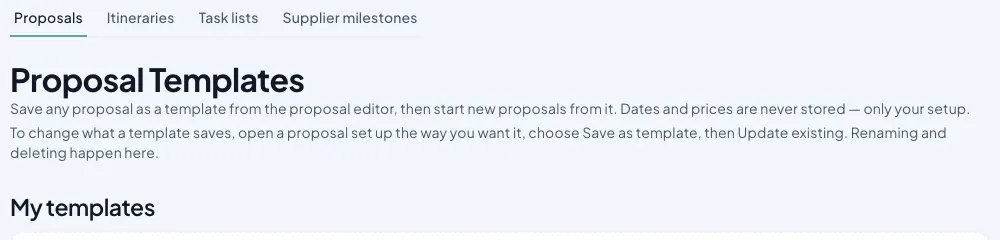
Go to Library → Templates → Proposals to rename or delete templates. Personal templates are yours alone; agency templates are managed by owners, admins, and anyone your agency has granted template management.
Tips
- Save one template per product you sell repeatedly, not one giant template — picking the right starting point beats un-configuring the wrong one.
- The usage counter shows which templates earn their keep. Delete the ones that don't.
- Improve a template as you go. When a proposal teaches you a better default, push it back with Update existing rather than starting a second template.
This is part of JourneyFuse’s travel proposal software: branded proposals clients can review, choose from and pay on.
Related Articles
Add-ons and Travel Protection in the New Proposal Editor
The new-look Add-ons table and Travel protection card: the three offer words, the four protection modes, the not-offered reason, and the quote-later reminder.
The New Proposal Editor: What Moved Where
A before-and-after guide to the proposal editor: where each classic section lives now, and how to switch back to classic while it is still available.
Sending a Group Quote for Approval
Get a school director, club leader or organizer to approve your group page and its pricing before families are invited to book.