Client Portal for Travel Agents
Client portal for travel agents: one branded link for every trip, payment and document.
JourneyFuse gives each client a branded trip portal for travelers with their full itinerary, what they owe, the documents you share and a way to message you. There is no account to create, no password to remember and no app to download. It carries your logo and accent color, and your own domain if you connect one.
- Give clients one place for itineraries, payments, documents, and messaging
- Brand the portal with your logo, colors, and custom domain
- Replace scattered emails and PDFs with a cohesive client experience
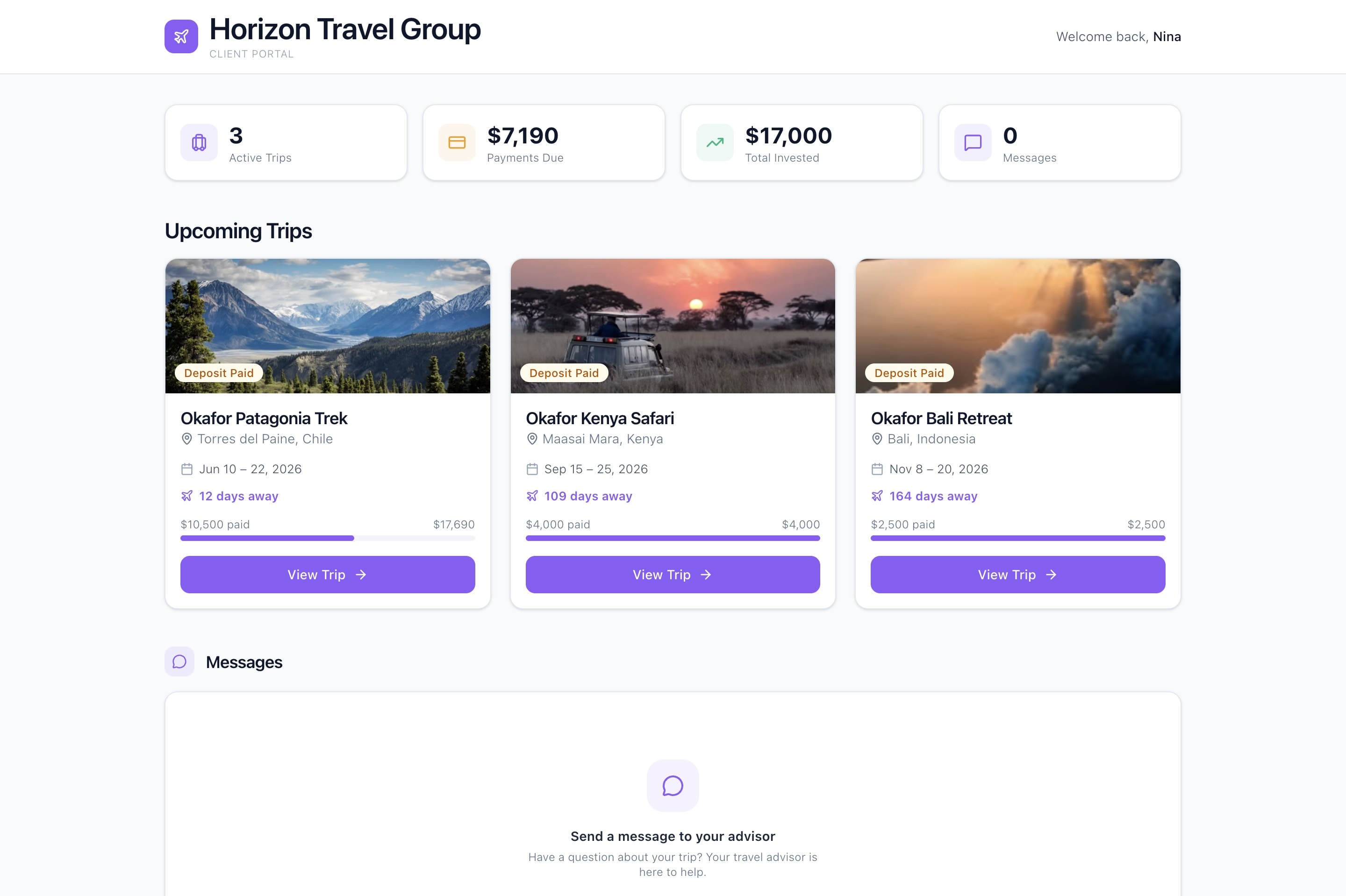
What your clients see when they open it
The portal opens on a dashboard showing active trips, payments due, what they have paid so far and unread messages. Each trip is a card with your hero photo, destinations, dates, traveler count, a payment progress bar and a status in traveler-friendly wording, so your Booked stage reads as Deposit Paid. Inside a trip they get the full day-by-day itinerary, a payment breakdown and a calendar file for their phone.
A travel client portal with your brand on it
The portal header, buttons and progress bars use your agency logo, accent color and name, and the invite email comes from your workspace with your signature at the bottom. Connect a custom domain and portal, proposal, itinerary and invoice links use an address like trips.youragency.com. A Client Portal Login Link for your email signature lets any client ask for their personal link by entering their email.
Payments clients can make without calling you
When a trip has an open invoice with a balance, a Make a Payment button appears on the trip. Your client picks an amount, enters a card on a PCI-compliant page and authorizes it. JourneyFuse never charges the card: you run it with the supplier and mark it charged. Money sent by Zelle, check or wire can be reported with Record a payment, and it waits as pending until you confirm it.
Documents, traveler details and sign-offs
Files you mark Client can see appear in the portal, and the eye icon hides one again at any time. A banner asks travelers to finish their profiles, and names, birthdays, citizenship and passport details flow into the household records on your side. Before a deposit you can ask a client to review a document, and their answer is saved against the exact file version they saw.
Messages and trip requests on your terms
Clients can message you from the portal. It is not a live chat: each message reaches you by email and as a bell notification, and your reply goes back by email. A Requests tab lets travelers suggest a park day, a restaurant or a must-see for a given day, and one click puts it on the itinerary. Clients never edit the itinerary themselves. Prefer email only? Turn messages off.
Secure by default, stricter when you want it
Portal links are long random addresses that cannot be guessed, and portal pages are blocked from search engines. Links keep working until you regenerate them, and Regenerate kills the old address and emails your client a new one. Owners and admins can require a 6-digit email code before a portal opens, after which that device stays signed in for 30 days. Passport numbers only ever show their last four digits.
What You Get
- Branded portal with custom logo, colors, and domain
- Client access to itineraries and trip documents
- Card authorization on a PCI-compliant page
- Traveler profiles with passport details and preferences
- Messages to the advisor, answered by email
- Mobile-friendly access on any device without an app download
Client Dashboard
Balance due in 4 days
Horizon Travel Group · Client Portal
Client View
One place for every trip, every payment, every document.
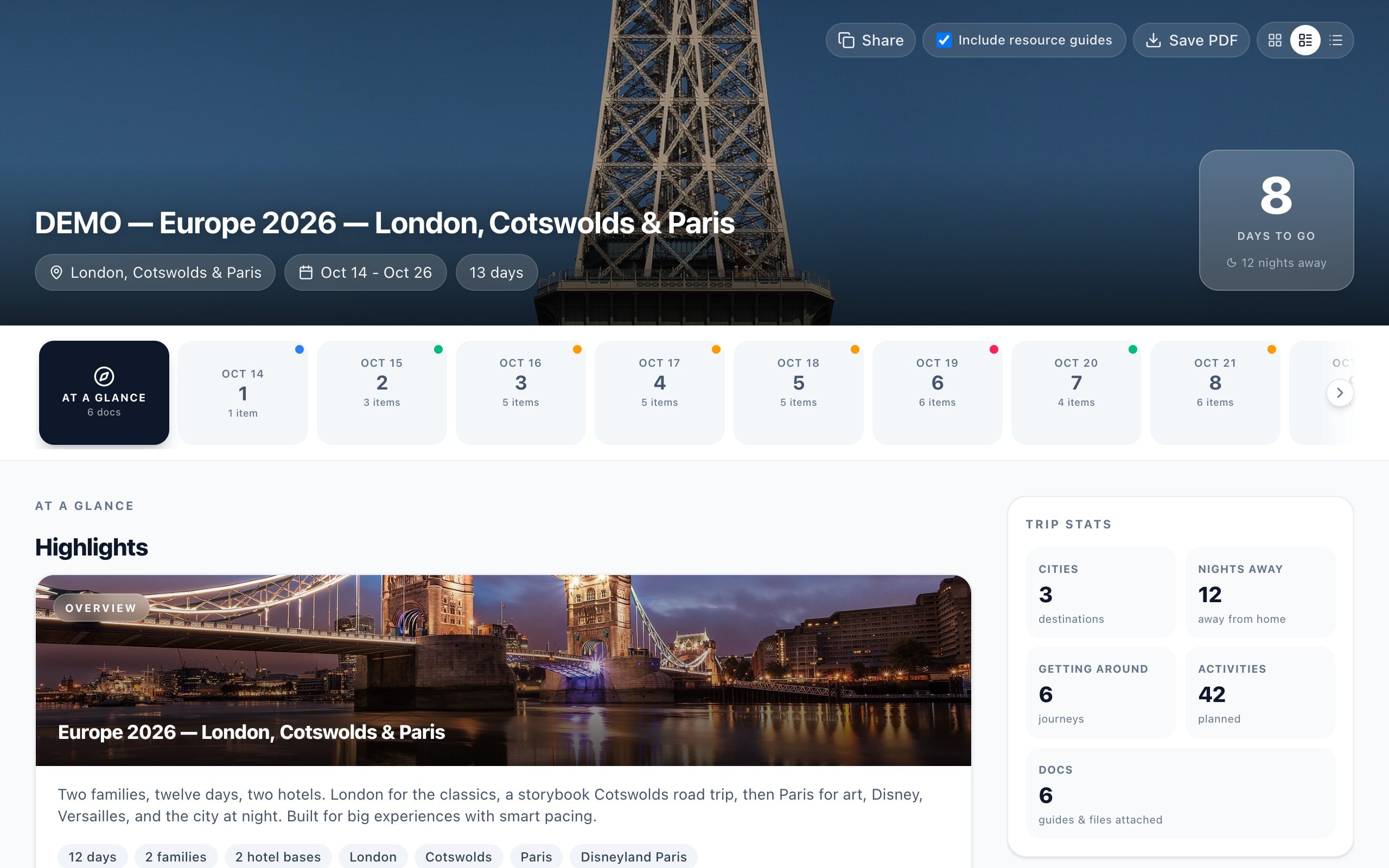
Clients see their upcoming trips with payment status, itinerary access, and action items. The portal replaces scattered emails with a modern dashboard experience branded to your agency.
- Trip cards with destination photos, dates, and payment progress
- Payment alerts and action items surfaced automatically
- One-click access to itineraries and trip details
- Branded under your agency name and colors
What should a client portal for travel agents actually do?
Most advisors already have a client portal of sorts. It is their inbox: the itinerary PDF from three weeks ago, a payment link from one processor, a document request sent by text and a thread titled one more thing. Each piece works. Together they send clients back to you with the same question, where do I find my itinerary, and every one of those questions costs you ten minutes you do not bill for. A travel agent client portal exists to answer those questions before they are asked.
The first job is to show the whole trip in one place. In JourneyFuse a client opens one link and sees every trip they have with you, what each one costs, what they have paid and what is due next. The itinerary inside is the same one you build in the itinerary builder, so a change you make shows up the next time they open the portal. There is nothing to re-export and no second copy to keep in sync, and flight times update there when an airline moves a flight.
The second job is to move work off your desk. Clients authorize a card toward their balance on a PCI-compliant page, report a wire or check they have already sent, fill in passport details for every traveler, confirm a booking document is correct and send you trip requests they would otherwise have texted. None of it changes your records without you: a reported payment waits as pending, a request waits for you to add it, and the itinerary stays yours to edit.
The third job is to look like your business. A branded client portal for travel advisors should carry your logo, your color and, ideally, your own domain, so the software stays in the background. JourneyFuse portals pick up your workspace branding automatically, the invite email is signed by the client's own advisor, and in an agency each advisor's clients hear from that advisor. A single login link in your email signature means a client who lost their personal link can get it back without writing to you.
The last job is to stay out of the client's way. There is no account to create and no password to forget, which is why clients actually open it. The trade-off is that the link is the key, so JourneyFuse makes links unguessable, hides them from search engines, lets you regenerate one instantly and offers an email code for agencies that want a second step. Good travel client portal software should not be a paid extra, either. The portal is included in every JourneyFuse plan at $25 per advisor per month, or $20 billed annually, and the 30-day free trial needs no credit card.
Try it on your next trip
30-day free trial. $25 per advisor per month, or $20 billed annually.
FAQ
Common questions about the client portal for travel agents
See JourneyFuse in action
Watch how travel advisors use JourneyFuse to run their entire business from one platform.
Ready To Evaluate?
Give your clients the portal experience they deserve.
Start the free trial and see what a branded client portal does for your business.